
Table of ContentsShowHide
What Is Insta Pro APK?
Insta Pro APK is a modified version of the Instagram app for Android, developed by SamMods. It keeps everything you already use on Instagram, including the feed, Reels, Stories, Explore and Direct Messages, and adds a long list of extra tools on top.
With the official app, you cannot save a Reel without a watermark, download someone's Story or hide that you read a message in every case. Insta Pro adds these options and many more in its own settings menu. You log in with your normal Instagram account, so your followers, posts and chats stay exactly the same.
Insta Pro is not available on the Google Play Store because it is a modified app. Many people also search for it as instapro, but it is the same app. You download it as an APK file and install it manually, which takes about two minutes.
Why People Use Insta Pro
Most people switch to Insta pro for three reasons. They want to save photos and videos for offline viewing, they want more privacy while browsing, and they want an Instagram without ads. Creators also use it to keep copies of their own content and to read captions and bios they can copy with one tap.
Key Features of Insta Pro
Insta Pro packs dozens of extra options into a settings menu that the official app does not have. Here are the features people use most, followed by a closer look at each one.
Save photos, videos and Reels in one tap.
Keep Stories and Highlights before they expire.
View Stories and read chats without being seen.
Scroll without sponsored posts and ads.
Change colours, dark mode and app fonts.
Protect the app or single chats with a PIN.
Download Photos and Videos
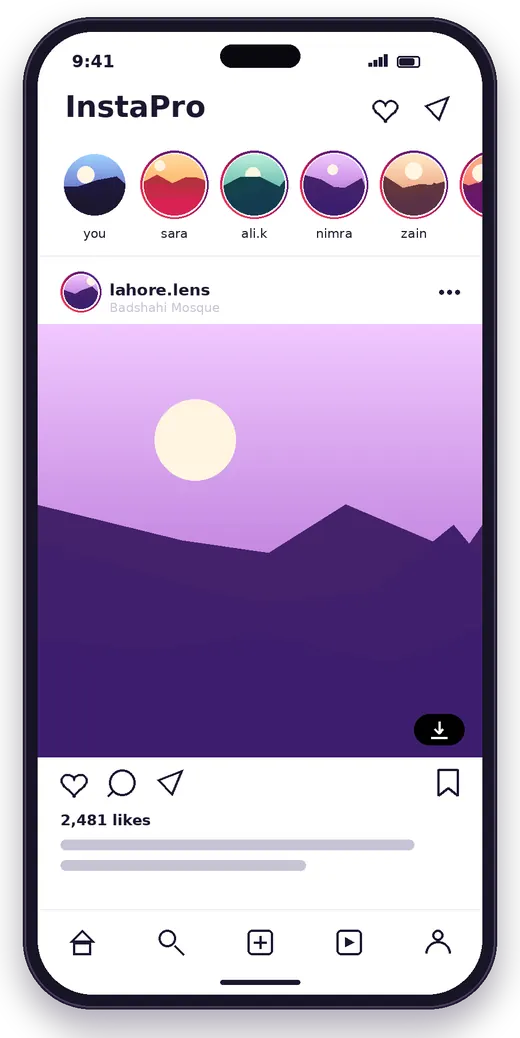
Every post in your feed gets a download button. Tap it and the photo or video saves straight to your gallery in the best quality available. Carousel posts download as separate files, so you get every image, not just the first one.
Reels Downloader
Save any Reel to your phone without using screen recording or a separate downloader app. You can also save only the audio of a Reel, which is handy when you want to reuse a trending sound.
Story and Highlight Saver
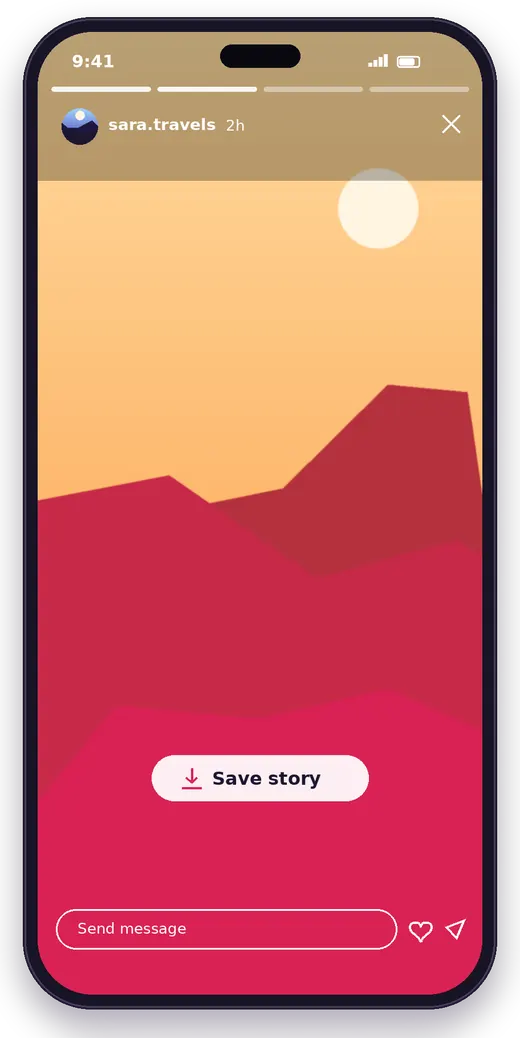
Stories disappear after 24 hours, but Insta Pro lets you keep them. Open a Story or a Highlight and tap the download icon to save the photo or video before it is gone.
Ghost Mode
Ghost mode lets you watch Stories without your name showing up in the viewer list. You can turn it on and off from the settings whenever you like, so you stay in control of what other people see.
Hide Seen and Typing Status
Read Direct Messages without sending a "Seen" tick, and stop the "typing" indicator from appearing while you write a reply. This gives you time to answer when it suits you.
Ad-Free Experience
Insta Pro removes sponsored posts from your feed, Stories and Reels. Your timeline only shows content from people you follow and posts you actually want to see, which also makes scrolling faster.
Custom Themes and Dark Mode
Choose from several colour themes, including a deep black theme that looks great on AMOLED screens and saves battery. You can change accent colours, backgrounds and icons to make the app feel like your own.
Custom Fonts
Change the font used across the app, from clean and modern styles to bold and playful ones. The new font applies to your feed, profile and chats.
Full-Size Profile Pictures
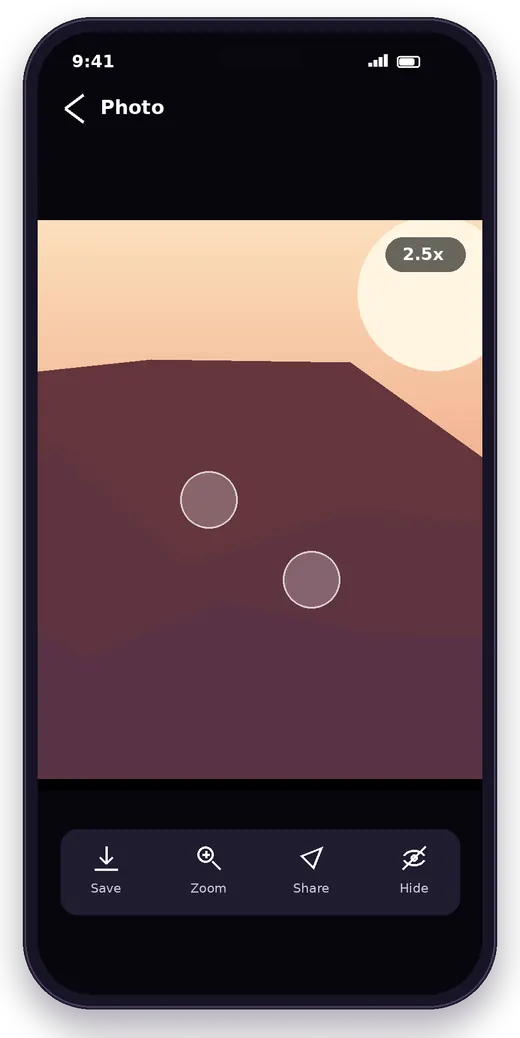
Instagram only shows profile photos as small circles. In Insta Pro, tap and hold a profile picture to open it at full size. This helps you check whether an account is real before you follow it.
Copy Captions, Bios and Comments
Long-press any caption, bio or comment to copy the text. It is perfect for saving recipes, links, quotes and hashtags without typing them out again.
High-Quality Uploads
Insta Pro includes a "max quality" option for photos and videos, so your uploads look sharper and lose less detail to compression.
Video Playback Controls
Use a seek bar to jump to any part of a video, change the playback speed or stop videos from playing automatically. Turning off autoplay also helps you save mobile data.
Built-In App Lock
Lock the whole app or single chats behind a PIN, pattern or fingerprint. If you share your phone with family or friends, your messages stay private.
Comment Translation
Translate comments and captions written in other languages with one tap, without copying them into a separate translation app.
Multiple Account Support
Add several Instagram accounts and switch between them in seconds, just like the official app, with all Insta Pro features active on each account.
Want a deeper look at every setting? Read our full features guide.

Insta Pro App Screenshots
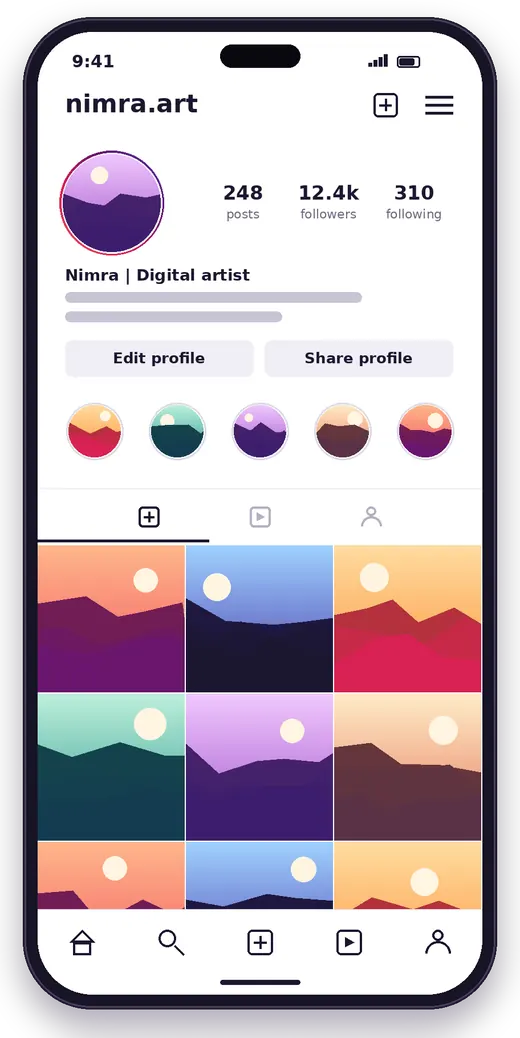
These preview images show the main screens and options you will find in Insta Pro.
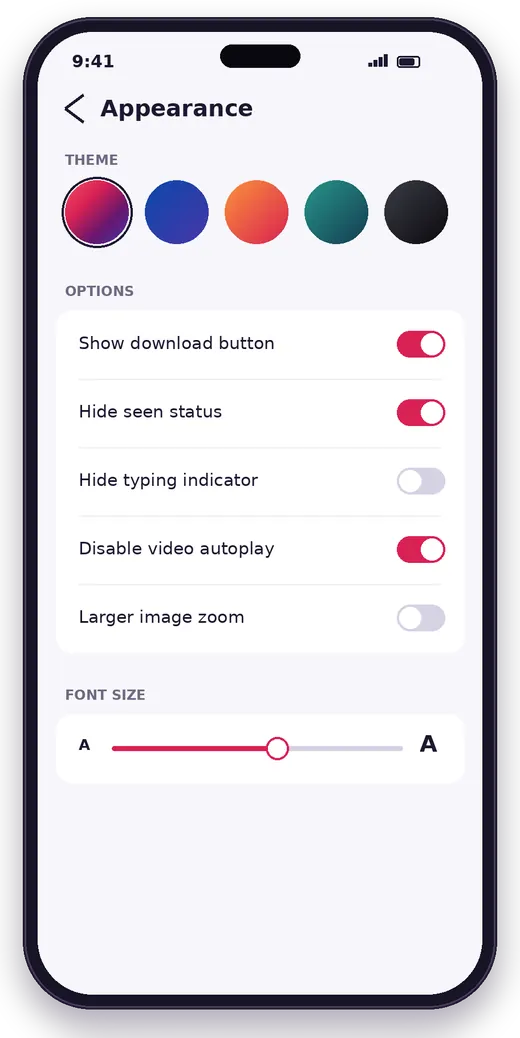
What's New in Insta Pro v15.80
- Built on a newer Instagram base for smoother login and better stability.
- Updated Direct Message layout and in-app Story editing tools.
- New "Photos in max quality" option for sharper uploads and viewing.
- Faster media loading and fixes for download errors on some phones.
- General bug fixes and performance improvements.
How to Download Insta Pro APK
Getting the Instapro APK on your phone takes less than a minute. Follow these steps on your Android phone.
- Tap the Download button
Scroll to the top of this page and tap Download APK. The Insta Pro v15.80 file starts downloading right away.
- Wait for the download to finish
The file is about 139 MB. Keep your internet connection on until your browser shows the download as complete.
- Open the file
Tap the notification or open the Downloads folder in your Files app to find the Insta Pro APK.
You can also visit our download page for full file details.
How to Install Insta Pro on Android
Android blocks apps from outside the Play Store by default, so you need to allow the installation once.
- Open the APK file
Tap the downloaded Insta Pro APK in your browser or Files app.
- Allow unknown apps
If Android asks for permission, tap Settings and turn on Allow from this source for your browser or Files app.
- Tap Install
Go back and tap Install. The installation takes a few seconds.
- Open Insta Pro
Tap Open once the installation is complete.
- Log in
Enter your Instagram username and password, or create a new account.
- Turn the setting off again
For extra safety, switch off Install unknown apps for your browser after installing.
Seeing an error? Our installation guide covers every step with fixes.
How to Use Insta Pro
Open the Insta Pro Settings
Go to your profile and open the menu in the top-right corner. You will find a new Insta Pro settings option there. This is where you control downloads, privacy, themes and every other extra feature.
Turn On Ghost Mode
In the Insta Pro settings, open the privacy section and switch on the options you want, such as hiding Story views, seen status and typing status.
Download Any Post, Reel or Story
Tap the download icon under a post or Reel, or inside an open Story. To change where files are saved, open the download settings and pick a folder.
Change the Theme
Open the themes section, pick a colour or the black theme and restart the app if it asks you to. Your new look applies straight away.
Insta Pro Versions
You will see a few different names for Insta Pro on the web. Each one serves a slightly different purpose.
The main build with all features. Version 15.80 is available on this site.
A clone build with its own package name, so you can install it next to the official Instagram app or Insta Pro. Read more about Insta Pro 2.
A third clone build for people who manage another account in a separate app. Read more about Insta Pro 3.
Insta Pro Latest Version
The latest version of Insta Pro on this site is v15.80. Newer versions are built on more recent Instagram releases, so they log in more smoothly and get fewer errors. We recommend always using the latest version.
Insta Pro Old Versions
Some people prefer an older version of Insta Pro because it runs better on an older phone or keeps a feature they liked. Here are the recent releases of Insta Pro.
| Version | Release | Availability |
|---|---|---|
| Insta Pro v15.80 | Current version | Available on this site |
| Insta Pro v15.75 | Older release | Not hosted |
| Insta Pro v15.70 | Older release | Not hosted |
| Insta Pro v15.60 | Older release | Not hosted |
| Insta Pro v15.50 | Older release | Not hosted |
| Insta Pro v15.40 | Older release | Not hosted |
| Insta Pro v15.30 | Older release | Not hosted |
| Insta Pro v15.20 | Older release | Not hosted |
| Insta Pro v15.10 | Older release | Not hosted |
| Insta Pro v15.05 | Older release | Not hosted |
Keep these points in mind before you install an old version:
- Uninstall your current version first. Android does not let you install an older version over a newer one.
- Very old versions may stop logging in, because Instagram eventually requires a newer app.
- Older builds miss the latest bug fixes, so switch back to the newest version when you can.
Insta Pro System Requirements
| Android Version | Android 7.0+ |
|---|---|
| RAM | 2 GB or more |
| Free Storage | 300 MB or more |
| Internet | Wi-Fi or mobile data |
| Account | An Instagram account |
| Root | Not required |
Insta Pro vs Instagram
Insta Pro uses the same Instagram servers, so your content is the same in both apps. The difference is in the extra tools.
| Feature | Insta Pro | |
|---|---|---|
| Download photos and videos | No | Yes |
| Download Reels without watermark | No | Yes |
| Save Stories and Highlights | No | Yes |
| Ghost mode (hide Story views) | No | Yes |
| Hide seen and typing status | Partly | Yes |
| Ad-free feed | No | Yes |
| Custom themes and fonts | No | Yes |
| Full-size profile pictures | No | Yes |
| Copy captions and bios | No | Yes |
| App lock | No | Yes |
| Automatic updates | Yes | No |
| Available on Play Store | Yes | No |
For a detailed breakdown, read our full comparison.
Insta Pro on Other Devices
Insta Pro for PC (Windows and Mac)
You can run Insta Pro on a computer with an Android emulator.
- Install an emulator
Download and install an Android emulator such as BlueStacks or LDPlayer on your PC.
- Get the APK
Download the Insta Pro APK on your computer.
- Install inside the emulator
Drag the APK file into the emulator window, or use its Install APK option.
- Log in
Open Insta Pro in the emulator and log in with your account.
Insta Pro for iPhone (iOS)
Insta Pro is not available for iPhone or iPad. The APK format only works on Android, and Apple does not allow modified Instagram apps on the App Store. Stay away from websites that promise an iOS version through profiles or unknown installers, as they can put your device at risk.
Insta Pro on Android Tablets
Insta Pro installs on Android tablets the same way it does on phones. The layout is designed for phones, so you may see wide margins on a large screen.
Pros and Cons of Insta Pro
Pros
- Download photos, videos, Reels and Stories
- Ghost mode and hidden seen status
- No ads in the feed, Stories or Reels
- Custom themes, dark mode and fonts
- Full-size profile pictures and copy text
- Built-in app lock
- Free with no root required
Cons
- Not available on the Google Play Store
- No automatic updates
- Not an official Instagram app
- Instagram may restrict accounts that use mods
- Not available for iPhone
- Some features can stop working after Instagram updates
Common Insta Pro Problems and Fixes
Insta Pro Not Installing
If you see "App not installed", another version with the same package name is already on your phone. Uninstall it and try again. Also make sure you have at least 300 MB of free storage.
Login Failed or Action Blocked
Instagram may ask you to confirm a new login. Approve it in the official app or by email, then wait a few minutes before trying again. If you see "Action blocked", slow down on likes and follows for a few hours.
App Keeps Crashing
Go to Settings, then Apps, then Insta Pro, then Storage, and tap Clear cache. Restart your phone. If the problem continues, update to the latest version.
Download Button Not Working
Check that Insta Pro has permission to access photos and media, and that your storage is not full. Updating to the latest version usually fixes download issues.
Feed Not Refreshing
Switch between Wi-Fi and mobile data, then clear the cache. If the feed is still empty, log out and log back in.
App Running Slowly
Turn off video autoplay in the Insta Pro settings, clear the cache and close other apps running in the background.
Is Insta Pro Safe to Use?
Insta Pro is one of the most widely used Instagram mods, but like any modified app it is not reviewed by Google Play. Follow these simple tips to stay safe:
- Download the APK only from a trusted website.
- Check the permissions after installing and deny anything the app does not need, such as SMS access.
- Turn on two-factor authentication for your Instagram account.
- Never share your password or login codes with any website or person.
- If you want extra peace of mind, try Insta Pro with a secondary account first.
Learn more in our safety guide.
How to Update Insta Pro
Insta Pro does not update through the Play Store. When a new version comes out, download the new APK from this site and install it over your current app. Your login and settings stay as they are. If Android shows a conflict error, uninstall the old version first and then install the new one.
Best Insta Pro Alternatives
Instander
Instander is a well-known Instagram mod with a clean design, a media downloader, ghost mode and high-quality uploads. It focuses on stability and a near-stock look.
Honista
Honista offers deep customisation, including many themes and layout changes, along with media downloads and privacy options.
Aero Insta
Aero Insta is known for its themes and privacy features. Like Insta Pro, it can save media and hide your activity from others.
GB Instagram
GB Instagram is one of the older Instagram mods. It offers media downloads and basic customisation, though updates are less frequent.
Instagram (Official App)
If you only need the basics, the official app now lets you save posts to Collections, download some public Reels and turn off read receipts. It also updates automatically from the Play Store.
Frequently Asked Questions
What is Insta Pro APK?
Insta Pro APK is a modified version of Instagram for Android. It adds tools that the official app does not have, such as a media downloader, ghost mode, an ad-free feed, custom themes and an app lock.
Is Insta Pro free to download?
Yes. Insta Pro is completely free. You do not need to pay, register or watch ads to download the APK from this site, and every feature inside the app is free to use.
Can I log in with my existing Instagram account?
Yes. Insta Pro connects to the normal Instagram servers, so you can log in with your current username and password. Your posts, followers, chats and saved items all appear as usual.
Can Insta Pro download Reels and Stories?
Yes. Insta Pro adds a download button to Reels, posts, Stories and Highlights. The files save straight to your phone's gallery, and you can choose the download folder in the settings.
Which Android version do I need?
Insta Pro v15.80 works on phones running Android 7.0+. You also need about 300 MB of free storage and a stable internet connection to log in and load content.
Is Insta Pro available for iPhone?
No. Insta Pro comes as an APK file, and APK files only install on Android. There is no official iPhone version, so avoid sites that offer one through profiles or unknown installers.
Can I use Insta Pro on a PC?
Yes, with an Android emulator such as BlueStacks or LDPlayer. Install the emulator on Windows, then open the Insta Pro APK inside it, just as you would on a phone.
Can I use Insta Pro and Instagram on the same phone?
It depends on the build. If Insta Pro uses the same package name as Instagram, remove the official app first. Insta Pro 2 and Insta Pro 3 use their own package names, so they install next to Instagram.
Will Instagram ban my account for using Insta Pro?
Instagram's terms do not allow unofficial apps, and Instagram can restrict accounts it flags. Instagram does not say how often this happens, and no mod can promise zero risk. Use a secondary account if you want to be careful.
Why is Insta Pro not on Google Play?
Google Play does not accept modified copies of other companies' apps. That is why Insta Pro is shared as an APK on websites and why you update it manually instead of through the Play Store.
How do I update Insta Pro?
Download the newest APK and install it over your current app. Your login and settings stay in place. If Android shows a conflict error, uninstall the old version first and then install the new one.
Is Insta Pro safe to use?
Insta Pro is a modified app, so Google Play does not review it. Get the APK from a trusted source, check its permissions, turn on two-factor authentication and never share your login codes with any website.
Conclusion
Insta Pro APK gives you everything you love about Instagram plus the tools you always wanted: one-tap downloads for photos, videos, Reels and Stories, ghost mode, an ad-free feed, custom themes and an app lock. It is free, needs no root and installs in a couple of minutes.
Download Insta Pro v15.80 from this page, follow the install steps above and protect your account with two-factor authentication. Bookmark this Instapro Download page to get the newest version as soon as it is released.